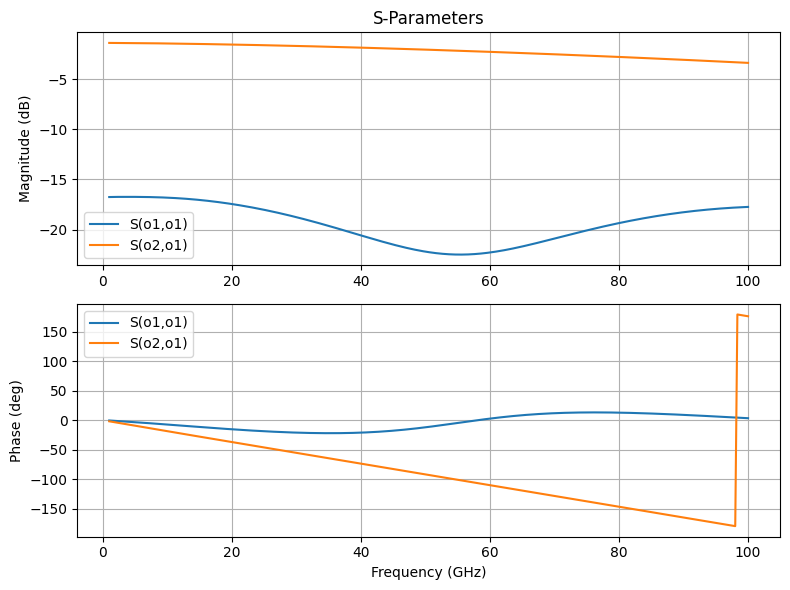
Running Palace Simulations
Palace is an open-source 3D electromagnetic simulator supporting eigenmode, driven (S-parameter), and electrostatic simulations. This notebook demonstrates using the gsim.palace API to run a driven simulation on a CPW (coplanar waveguide) structure.
Requirements:
- IHP PDK:
uv pip install ihp-gdsfactory - GDSFactory Simulation SDK:
uv pip install gsim - GDSFactory+ account for cloud simulation
Load a pcell from IHP PDK
import gdsfactory as gf

from ihp import LAYER, PDK

PDK.activate()


@gf.cell
def gsg_electrode(
    length: float = 800,
    s_width: float = 20,
    g_width: float = 40,
    gap_width: float = 15,
    layer=LAYER.TopMetal2drawing,
) -> gf.Component:
    """
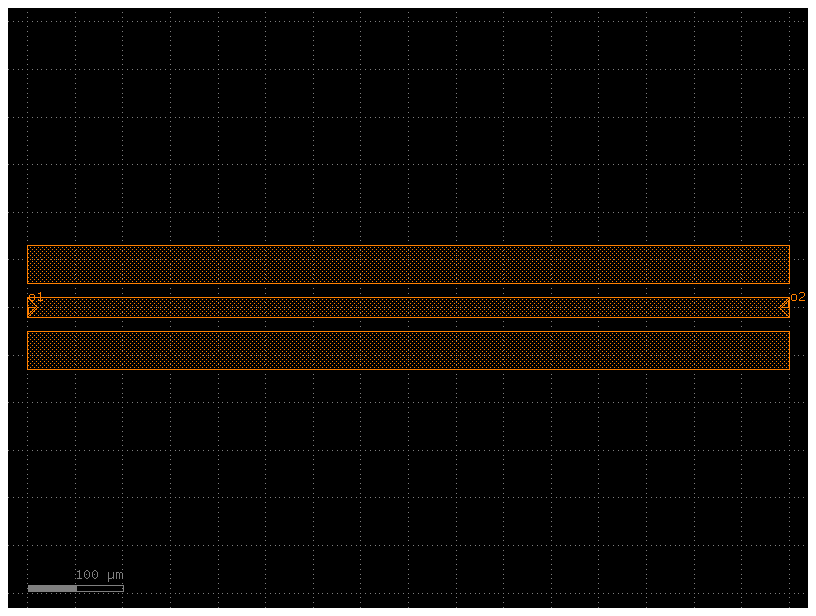
    Create a GSG (Ground-Signal-Ground) electrode.

    Args:
        length: horizontal length of the electrodes
        s_width: width of the signal (center) electrode
        g_width: width of the ground electrodes
        gap_width: gap between signal and ground electrodes
        layer: layer for the metal
    """
    c = gf.Component()

    # Top ground electrode
    r1 = c << gf.c.rectangle((length, g_width), centered=True, layer=layer)
    r1.move((0, (g_width + s_width) / 2 + gap_width))

    # Center signal electrode
    _r2 = c << gf.c.rectangle((length, s_width), centered=True, layer=layer)

    # Bottom ground electrode
    r3 = c << gf.c.rectangle((length, g_width), centered=True, layer=layer)
    r3.move((0, -(g_width + s_width) / 2 - gap_width))

    # Add outward-facing ports at the signal center (one per side)
    # The CPW port API computes the gap element surfaces from s_width and gap_width
    c.add_port(
        name="o1",
        center=(-length / 2, 0),
        width=s_width,
        orientation=180,
        port_type="electrical",
        layer=layer,
    )

    c.add_port(
        name="o2",
        center=(length / 2, 0),
        width=s_width,
        orientation=0,
        port_type="electrical",
        layer=layer,
    )

    return c


c = gsg_electrode()
cc = c.copy()
cc.draw_ports()
cc
Configure and run simulation with DrivenSim
from gsim.palace import DrivenSim

# Create simulation object
sim = DrivenSim()

# Set output directory
sim.set_output_dir("./palace-sim-cpw")

# Set the component geometry
sim.set_geometry(c)

# Configure layer stack from active PDK
sim.set_stack(substrate_thickness=2.0)

# Surround the stack with air to keep absorbing boundaries away from
# the conductors. Outward-facing ports shift their excitation sheets inward.
sim.set_airbox(margin_x=50.0, margin_y=50.0, z_above=300.0)

# Configure left CPW port (single port at signal center)
sim.add_cpw_port("o1", layer="topmetal2", s_width=20, gap_width=15)

# Configure right CPW port (single port at signal center)
sim.add_cpw_port("o2", layer="topmetal2", s_width=20, gap_width=15)

# Configure driven simulation (frequency sweep for S-parameters)
sim.set_driven(fmin=1e9, fmax=100e9, num_points=300)

# Validate configuration
print(sim.validate_config())
pyvirtualdisplay not available; continuing without Xvfb


Validation: PASSED
# Generate mesh with planar conductors (presets: "coarse", "default", "fine")
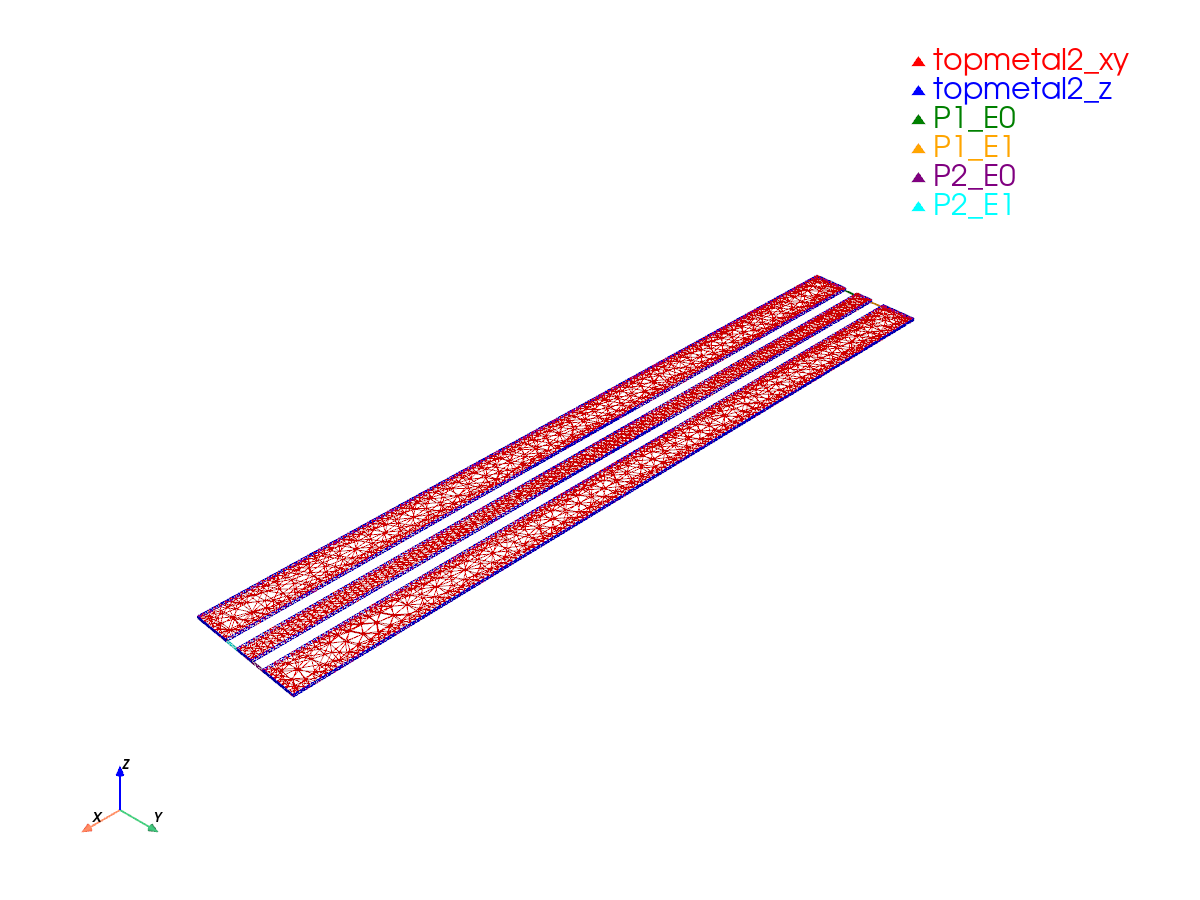
sim.mesh(preset="default", planar_conductors=False)
Mesh Summary
========================================
Dimensions: 900.0 x 230.0 x 317.9 µm
Nodes:      9,794
Elements:   74,145
Tetrahedra: 52,521
Edge length: 1.90 - 300.00 µm
Quality:    0.579 (min: 0.063)
SICN:       0.623 (all valid)
Worst element distortion, κ: 37.946 (tet centers; 1 is ideal)
Estimated Field DOFs: 341,004 (order 2; before Palace preprocessing)
Mesh hash:  sha256:4dd3d3c8fcb16aec  (gmsh 4.15.2, gsim 0.7.0)
Mesher:     2D algorithm 5, 3D algorithm 1, threads 1 (1D/2D/3D limits 1/1/1)
----------------------------------------
Volumes (3):
  - sio2 [1]
  - sin [2]
  - air [3]
Surfaces (11):
  - topmetal2_xy [4]
  - topmetal2_z [5]
  - P1_E0 [6]
  - P1_E1 [7]
  - P2_E0 [8]
  - P2_E1 [9]
  - air__sio2 [10]
  - sio2__None [11]
  - sin__sio2 [12]
  - air__sin [13]
  - air__None [14]
----------------------------------------
Mesh:   palace-sim-cpw/palace.msh
pyvirtualdisplay not available; continuing without Xvfb
[0m[33m2026-10-23 11:17:33.890 ( 5.842s) [ 7F6969181B80]vtkXOpenGLRenderWindow.:1460 WARN| bad X server connection. DISPLAY=[0m
Run simulation on cloud
  palace-62da322a  [####################] 100%  complete  elapsed 1m 48s


Extracting results.tar.gz...
Downloaded 13 files to /home/runner/work/IHP/IHP/docs/sim-data-palace-62da322a
SParams(2 ports [o1, o2], 300 freq points, 4 S-parameters)