Palace CPW Simulation — Lumped Ports
Simulate an 800 µm IHP coplanar waveguide (CPW) with lumped ports, sweep 300 frequencies from 1 to 100 GHz, and plot S-parameter magnitude and phase.
Requirements:
- IHP PDK:
uv pip install ihp-gdsfactory - GDSFactory+ account for cloud simulation
For multiple lengths and a comparison of both port types, see the CPW length sweep and de-embedding notebook.
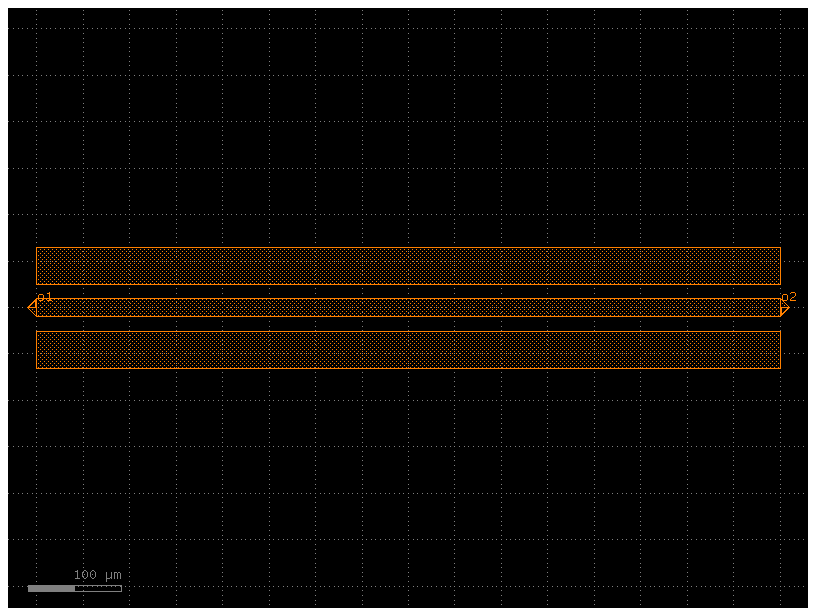
Define GSG electrode
import gdsfactory as gf
from ihp import LAYER, PDK

PDK.activate()


@gf.cell
def gsg_electrode(
    length: float = 800,
    s_width: float = 20,
    g_width: float = 40,
    gap_width: float = 15,
    layer=LAYER.TopMetal2drawing,
) -> gf.Component:
    """
    Create a GSG (Ground-Signal-Ground) electrode.

    Args:
        length: horizontal length of the electrodes
        s_width: width of the signal (center) electrode
        g_width: width of the ground electrodes
        gap_width: gap between signal and ground electrodes
        layer: layer for the metal
    """
    c = gf.Component()

    r1 = c << gf.c.rectangle((length, g_width), centered=True, layer=layer)
    r1.move((0, (g_width + s_width) / 2 + gap_width))

    _r2 = c << gf.c.rectangle((length, s_width), centered=True, layer=layer)

    r3 = c << gf.c.rectangle((length, g_width), centered=True, layer=layer)
    r3.move((0, -(g_width + s_width) / 2 - gap_width))

    c.add_port(
        name="o1",
        center=(-length / 2, 0),
        width=s_width,
        orientation=180,
        port_type="electrical",
        layer=layer,
    )

    c.add_port(
        name="o2",
        center=(length / 2, 0),
        width=s_width,
        orientation=0,
        port_type="electrical",
        layer=layer,
    )

    return c


c = gsg_electrode()
cc = c.copy()
cc.draw_ports()
cc
Configure simulation
Both ports are excited in separate solves to obtain the full two-port S-matrix.
from gsim.common.stack import get_stack
from gsim.palace import DrivenSim

sim = DrivenSim()
sim.set_output_dir(f"./palace-sim-cpw-lumped-{c.name}")
sim.set_geometry(c)

stack = get_stack()  # auto-detects the active PDK
sim.set_stack(stack)
sim.set_airbox(margin_x=50, margin_y=0, z_above=100, z_below=100)

# The lumped-port offset defaults to length/2, flush with the conductor edge.
for port_name in ["o1", "o2"]:
    sim.add_cpw_port(
        port_name, layer="topmetal2", s_width=20, gap_width=15, excited=True
    )

sim.set_driven(fmin=1e9, fmax=100e9, num_points=300)
print(sim.validate_config())
Validation: PASSED
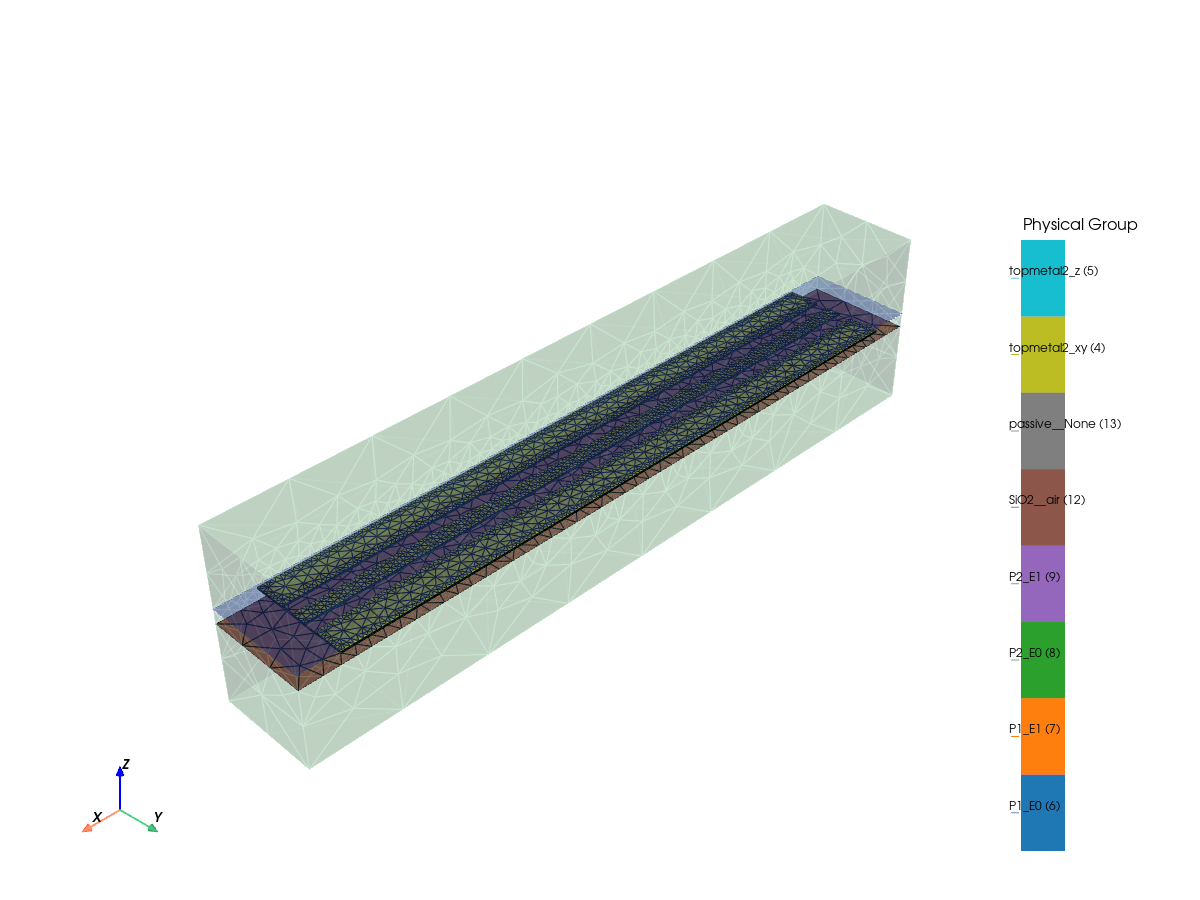
Generate mesh
Mesh Summary
========================================
Dimensions: 900.0 x 130.0 x 217.9 µm
Nodes:      25,428
Elements:   189,117
Tetrahedra: 135,379
Edge length: 1.14 - 78.44 µm
Quality:    0.644 (min: 0.105)
SICN:       0.695 (all valid)
Worst element distortion, κ: 24.3165 (tet centers; 1 is ideal)
Estimated Field DOFs: 882,568 (order 2; before Palace preprocessing)
Mesh hash:  sha256:298d330da58d2205  (gmsh 4.15.2, gsim 0.8.0)
Mesher:     2D algorithm 5, 3D algorithm 1, threads 1 (1D/2D/3D limits 1/1/1)
----------------------------------------
Volumes (3):
  - sio2 [1]
  - sin [2]
  - air [3]
Surfaces (12):
  - topmetal2_xy [4]
  - topmetal2_z [5]
  - P1_E0 [6]
  - P1_E1 [7]
  - P2_E0 [8]
  - P2_E1 [9]
  - air__sio2 [10]
  - sio2__None [11]
  - sin__sio2 [12]
  - air__sin [13]
  - sin__None [14]
  - air__None [15]
----------------------------------------
Mesh:   palace-sim-cpw-lumped-gsg_electrode_L800_SW20_GW40_GW15_LTopMetal2drawing/palace.msh
sim.plot_mesh(
    style="solid",
    transparent_groups=["air__None", "SiO2__None", "SiO2__passive", "air__passive"],
    interactive=True,
)
[0m[33m2026-10-23 15:27:13.590 ( 10.641s) [ 7F7952471080]vtkXOpenGLRenderWindow.:1452 WARN| bad X server connection. DISPLAY=[0m
viz.py:736: UserWarning: No handler registered for notebook backend "trame".
Falling back to a static output.
Available backends: "static", "none"
Install trame for interactive backends: pip install pyvista[jupyter]
plotter.show(jupyter_backend=_TRAME_BACKEND)
Run simulation
Run on GDSFactory+ cloud, reusing matching cached results when available. verbose="status" shows progress; use verbose="full" for solver diagnostics.
  palace-d9397d32  [####################] 100%  complete  elapsed 0m 00s


Extracting results.tar.gz...
Downloaded 12 files to sim-data-palace-d9397d32
Plot S-parameters
Port mapping: Port 1: o1, Port 2: o2
Port mapping: Port 1: o1, Port 2: o2