Schematic-Driven Design
kfactory supports a schematic-first design style: you declare what connects to what and where instances are placed, and kfactory builds the physical layout from that declarative description.
This is distinct from the imperative approach (calling connect() on instances inside a
@kf.cell function). Schematics are:
- Serialisable — stored as YAML/JSON, not just in-memory
- Verifiable — the extracted netlist can be compared against the schematic (LVS)
- Code-generatable — a schematic can emit a standalone Python function that re-creates the same layout without the schematic machinery
Key types
| Class | Description |
|---|---|
kf.Schematic |
DBU-coordinate schematic (placement in database units) |
kf.DSchematic |
µm-coordinate schematic (floating-point placement) |
kf.KCLayout.schematic_cell |
Decorator that turns a schematic factory into a cached cell |
import kfactory as kf
Setting up a PDK
Schematics work inside a KCLayout (PDK). Cell functions registered on the PDK are
looked up by name when create_inst is called — so every component you place must be
registered first.
class LAYER(kf.LayerInfos):
    WG: kf.kdb.LayerInfo = kf.kdb.LayerInfo(1, 0)
    WGEX: kf.kdb.LayerInfo = kf.kdb.LayerInfo(2, 0)


L = LAYER()
pdk = kf.KCLayout("SCHEM_OVERVIEW", infos=LAYER)
Registering PDK cells
PDK cells are plain @pdk.cell-decorated functions. Their parameters must be
JSON-serialisable (int, float, str, bool) so the schematic can store them.
@pdk.cell
def straight(width: int, length: int) -> kf.KCell:
    """Waveguide straight segment.

    Args:
        width: Width in dbu.
        length: Length in dbu.
    """
    c = pdk.kcell()
    c.shapes(L.WG).insert(kf.kdb.Box(0, -width // 2, length, width // 2))
    c.create_port(
        name="o1",
        width=width,
        trans=kf.kdb.Trans(rot=2, mirrx=False, x=0, y=0),
        layer_info=L.WG,
    )
    c.create_port(
        name="o2",
        width=width,
        trans=kf.kdb.Trans(x=length, y=0),
        layer_info=L.WG,
    )
    return c


@pdk.cell
def bend90(width: int, radius: int) -> kf.KCell:
    """90° Euler bend.

    Args:
        width: Width in dbu.
        radius: Nominal bend radius in dbu.
    """
    return kf.factories.euler.bend_euler_factory(kcl=pdk)(
        width=pdk.to_um(width),
        radius=pdk.to_um(radius),
        layer=L.WG,
    )
Basic schematic: placement only
The simplest schematic just places instances at known coordinates.
schematic.create_inst looks up the component by name in the PDK and records the
settings. inst.place(x, y) sets the origin in dbu.
@pdk.schematic_cell
def two_straights() -> kf.Schematic:
    schematic = kf.Schematic(kcl=pdk)

    s1 = schematic.create_inst(
        name="s1",
        component="straight",
        settings={"width": 500, "length": 10_000},
    )
    s2 = schematic.create_inst(
        name="s2",
        component="straight",
        settings={"width": 500, "length": 10_000},
    )

    s1.place(x=0, y=0)
    s2.place(x=20_000, y=0)

    return schematic


cell = two_straights()
cell
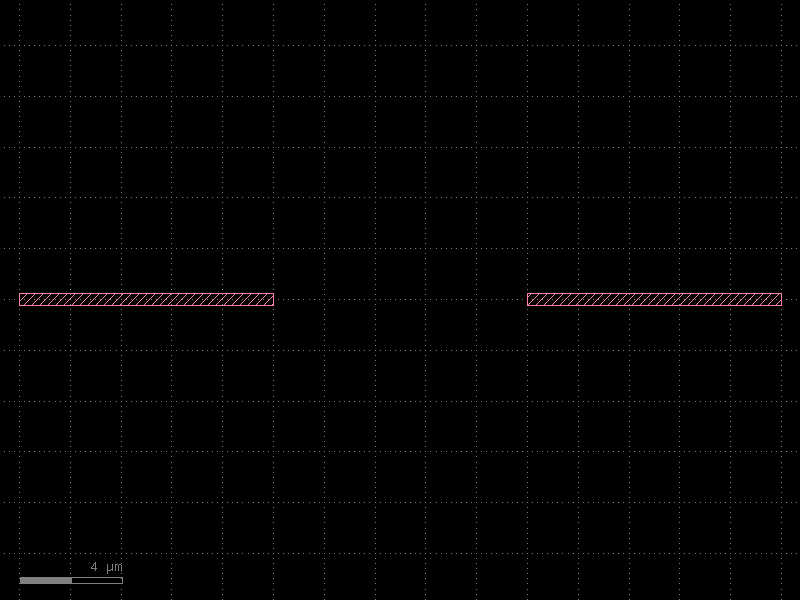
The @pdk.schematic_cell decorator caches the result just like @pdk.cell, so calling
two_straights() a second time returns the same object.
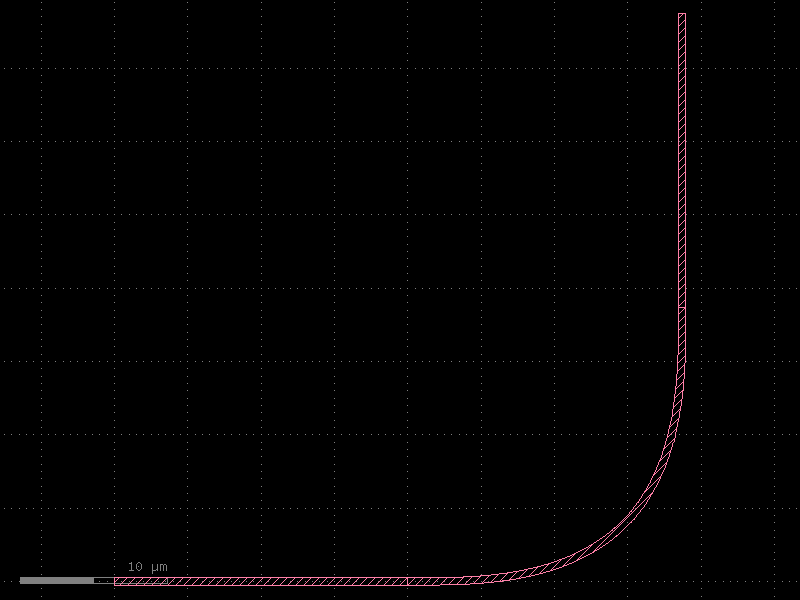
Connectivity: connect
inst.connect(port_name, other_port) aligns an instance so that the named port is
mated with other_port. This is the schematic equivalent of the imperative
instance.connect() in a regular cell body.
@pdk.schematic_cell
def chain_of_three() -> kf.Schematic:
    schematic = kf.Schematic(kcl=pdk)

    s1 = schematic.create_inst(
        name="s1",
        component="straight",
        settings={"width": 500, "length": 20_000},
    )
    b1 = schematic.create_inst(
        name="b1",
        component="bend90",
        settings={"width": 500, "radius": 10_000},
    )
    s2 = schematic.create_inst(
        name="s2",
        component="straight",
        settings={"width": 500, "length": 20_000},
    )

    # Fix s1 at the origin
    s1.place(x=0, y=0)

    # Snap b1's input port ("o1") onto s1's output port ("o2")
    b1.connect("o1", s1.ports["o2"])

    # Snap s2's input port ("o1") onto b1's output port ("o2")
    s2.connect("o1", b1.ports["o2"])

    return schematic


chain = chain_of_three()
chain
The schematic model
The schematic attribute on a schematic cell contains the full declarative description
as a Pydantic model. This includes instances, placements, nets, and routes.
model = chain.schematic
print("Instances:", list(model.instances.keys()))
print(
    "Placements:", {k: (v.x, v.y, v.orientation) for k, v in model.placements.items()}
)
Instances: ['s1', 'b1', 's2']
Placements: {'s1': (0, 0, 0.0)}
Netlist extraction
cell.netlist() extracts a connectivity netlist from the physical layout.
Because each SchematicInstance places a real KCell into the layout, the extracted
netlist reflects the actual geometry — not just the schematic intent.
netlist = chain.netlist()
for cell_name, net in netlist.items():
    print(f"\n=== {cell_name} ===")
    print(f"  instances: {list(net.instances.keys())}")
    for i, n in enumerate(net.nets):
        print(f"  net[{i}]: {[f'{p.instance}.{p.port}' for p in n]}")
    print(f"  ports: {[p.name for p in net.ports]}")
=== chain_of_three ===
  instances: ['b1', 's1', 's2']
  net[0]: ['b1.o1', 's1.o2']
  net[1]: ['b1.o2', 's2.o1']
  ports: []

=== bend90_W500_R10000 ===
  instances: []
  ports: ['o1', 'o2']

=== straight_W500_L20000 ===
  instances: []
  ports: ['o1', 'o2']
Schematic netlist vs extracted netlist (LVS)
For a schematic cell with declared nets (schematic.nets), kfactory can compare the
schematic connectivity against the extracted layout connectivity. Here we use a version
with explicit nets to demonstrate the LVS flow.
@pdk.schematic_cell
def lvs_example() -> kf.Schematic:
    schematic = kf.Schematic(kcl=pdk)

    s1 = schematic.create_inst(
        name="s1",
        component="straight",
        settings={"width": 500, "length": 15_000},
    )
    s2 = schematic.create_inst(
        name="s2",
        component="straight",
        settings={"width": 500, "length": 15_000},
    )

    s1.place(x=0, y=0)

    # connect() both places s2 and records the connectivity in the schematic model
    s2.connect("o1", s1.ports["o2"])

    return schematic


lvs_cell = lvs_example()

# schematic.netlist() derives connectivity from the declared placements/connections
schematic_netlist = lvs_cell.schematic.netlist()

# cell.netlist() derives connectivity from the physical layout geometry
extracted_netlist = lvs_cell.netlist()[lvs_cell.name]

assert schematic_netlist == extracted_netlist, "LVS failed!"
print("LVS passed: schematic and extracted netlists match.")
LVS passed: schematic and extracted netlists match.
Code generation
schematic.code_str() generates a standalone Python function that re-creates the same
layout without the schematic machinery. This is useful for:
- Exporting a schematic-designed cell for use in a lower-level flow
- Archiving a point-in-time snapshot of a parameterised design
- Sharing a self-contained design with collaborators who do not use schematics
from IPython.display import Code

generated = chain.schematic.code_str()
Code(generated)
import kfactory as kf


kcl = kf.kcls["SCHEM_OVERVIEW"]


@kcl.schematic_cell(output_type=kf.DKCell)
def chain_of_three() -> kf.Schematic:
    schematic = kf.Schematic(kcl=kcl)

    # Create the schematic instances
    b1 = schematic.create_inst(
        name="b1",
        component="bend90",
        settings={"width": 500, "radius": 10000},
    )
    s1 = schematic.create_inst(
        name="s1",
        component="straight",
        settings={"width": 500, "length": 20000},
    )
    s2 = schematic.create_inst(
        name="s2",
        component="straight",
        settings={"width": 500, "length": 20000},
    )

    # Schematic instance placements
    s1.place()

    # Schematic connections
    b1.connect(
        port="o1",
        other=s1["o2"],
    )
    b1.connect(
        port="o2",
        other=s2["o1"],
    )
    return schematic
The generated code is a regular @kcl.schematic_cell-decorated function — you can
copy it into any file that imports the same PDK and it will produce an identical cell.
Summary
| Operation | API |
|---|---|
| Define a schematic cell | @pdk.schematic_cell |
| Add a component instance | schematic.create_inst(name, component, settings) |
| Place at coordinate | inst.place(x, y) |
| Connect two ports | inst.connect(port, other_port) |
| Declare explicit net | schematic.add_net(name, [port, ...]) |
| Extract layout netlist | cell.netlist() |
| Get schematic model | cell.schematic |
| Generate standalone code | cell.schematic.code_str() |
See Also
| Topic | Where |
|---|---|
| Netlist data model | Schematics: Netlist |
| 45° crossing with virtual cells | Schematics: 45° Crossing |
| Creating a full PDK | PDK: Creating a PDK |
| PCells & caching | Components: PCells |