Fill Utilities
Foundry tape-outs typically require a metal/poly fill step: small dummy
shapes are tiled over the floorplan to improve CMP (chemical-mechanical
planarisation) uniformity. kfactory's kf.fill module wraps KLayout's
TilingProcessor-based fill engine into a single high-level call.
| Function | Purpose |
|---|---|
kf.fill.fill_tiled |
Tile a fill cell over layer-defined or explicit regions, with per-layer or explicit exclusions |
Key rules
- Call
fill_tiledinside the@kf.cellfunction so the target cell is still unlocked. Calling it on a cached (locked) cell raisesLockedError. fill_layers/fill_regionsdefine where to place fill.exclude_layers/exclude_regionsdefine where not to place fill.- The second element of every
(layer, margin)tuple is a keepout distance in µm expanded around that layer's shapes. x_space/y_spaceset the gap between adjacent fill-cell bounding boxes; both are in µm.
Setup
import kfactory as kf
from kfactory.utils.fill import fill_tiled


class LAYER(kf.LayerInfos):
    WG: kf.kdb.LayerInfo = kf.kdb.LayerInfo(1, 0)
    FILL: kf.kdb.LayerInfo = kf.kdb.LayerInfo(2, 0)
    METAL: kf.kdb.LayerInfo = kf.kdb.LayerInfo(3, 0)
    FLOORPLAN: kf.kdb.LayerInfo = kf.kdb.LayerInfo(10, 0)


L = LAYER()
kf.kcl.infos = L
1 · Fill Cell
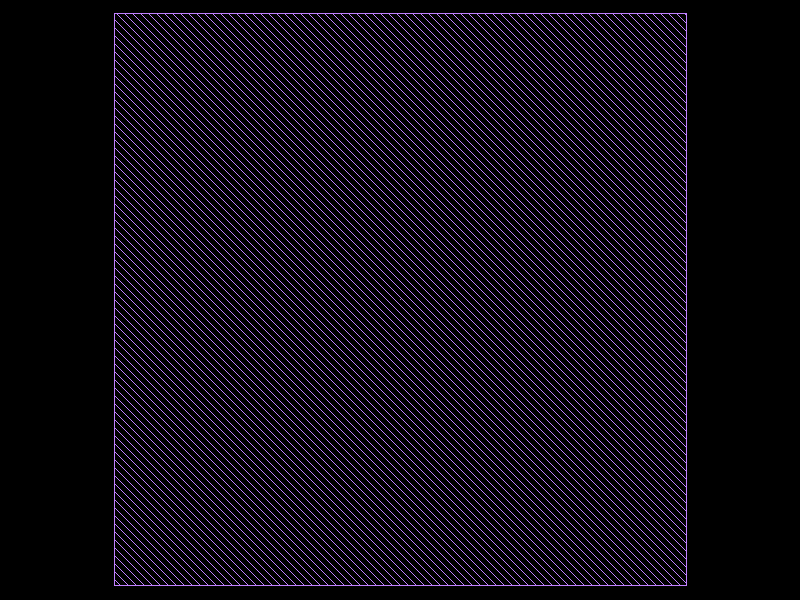
A fill cell is any ordinary KCell. Make it small and symmetric so it
tiles cleanly. Here we use a 1 µm × 1 µm square centred on the origin.
@kf.cell
def fill_dot() -> kf.KCell:
    c = kf.KCell()
    c.shapes(kf.kcl.find_layer(L.FILL)).insert(kf.kdb.DBox(-0.5, -0.5, 0.5, 0.5))
    return c


fill_dot()
2 · Basic Layer Fill
Pass fill_layers to fill every polygon on a given layer. The second
element of the tuple is the keepout in µm expanded around those shapes
before the fill region is computed (use 0 for no keepout on the
fill layer itself).
exclude_layers works the same way for shapes that must not be covered.
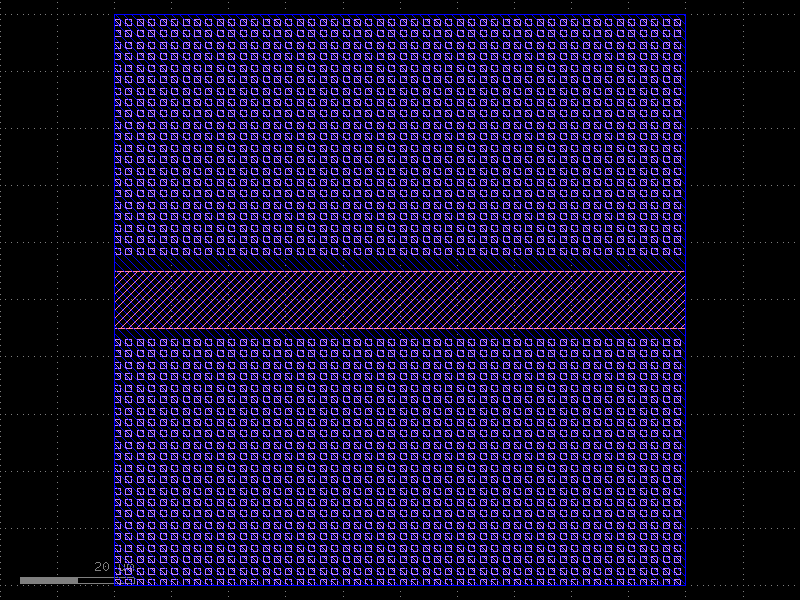
A keepout of 2.0 µm means fill cells whose bounding box would overlap
within 2 µm of a waveguide edge are suppressed.
@kf.cell
def chip_basic() -> kf.KCell:
    c = kf.KCell()
    # 100 µm × 100 µm floorplan
    c.shapes(kf.kcl.find_layer(L.FLOORPLAN)).insert(kf.kdb.DBox(0, 0, 100, 100))
    # Horizontal waveguide through the middle — must stay clear of fill
    c.shapes(kf.kcl.find_layer(L.WG)).insert(kf.kdb.DBox(0, 45, 100, 55))

    fill_tiled(
        c,
        fill_dot(),
        fill_layers=[
            (L.FLOORPLAN, 0)
        ],  # fill inside FLOORPLAN; 0 µm keepout on the layer itself
        exclude_layers=[(L.WG, 2.0)],  # keep 2 µm clear of WG edges
        x_space=1.0,  # 1 µm gap between fill cells in X
        y_space=1.0,  # 1 µm gap between fill cells in Y
    )
    return c


chip_basic()
3 · Explicit Region Fill
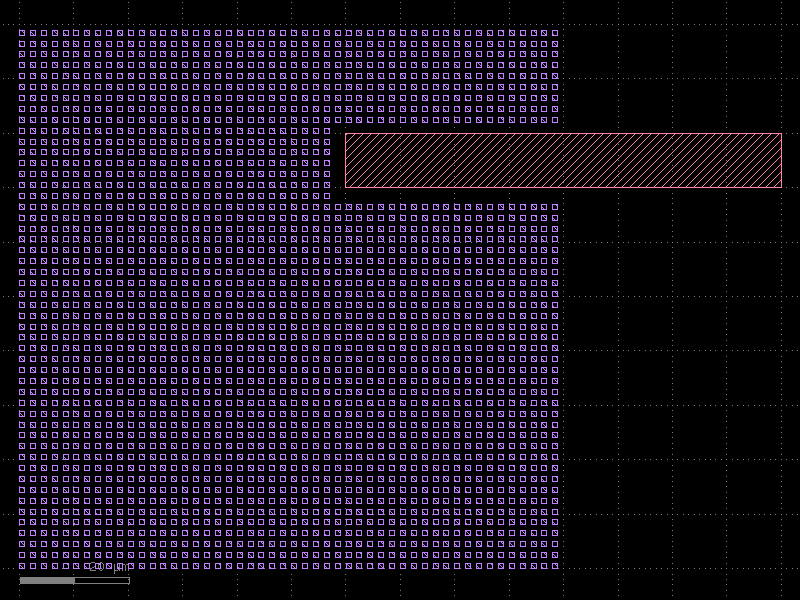
Instead of relying on layer shapes you can pass a kdb.Region directly via
fill_regions. This is useful when the fill boundary is computed
programmatically rather than stored on a layer.
@kf.cell
def chip_region() -> kf.KCell:
    c = kf.KCell()
    # Waveguide on WG layer — must stay clear
    c.shapes(kf.kcl.find_layer(L.WG)).insert(kf.kdb.DBox(10, 20, 90, 30))

    # Build an explicit fill region: a 100 µm square in DBU
    fill_region = kf.kdb.Region(kf.kdb.Box(kf.kcl.to_dbu(100), kf.kcl.to_dbu(100)))

    fill_tiled(
        c,
        fill_dot(),
        fill_regions=[(fill_region, 0)],  # (region, keepout µm)
        exclude_layers=[(L.WG, 1.5)],
        x_space=1.0,
        y_space=1.0,
    )
    return c


chip_region()
4 · Custom Step Vectors
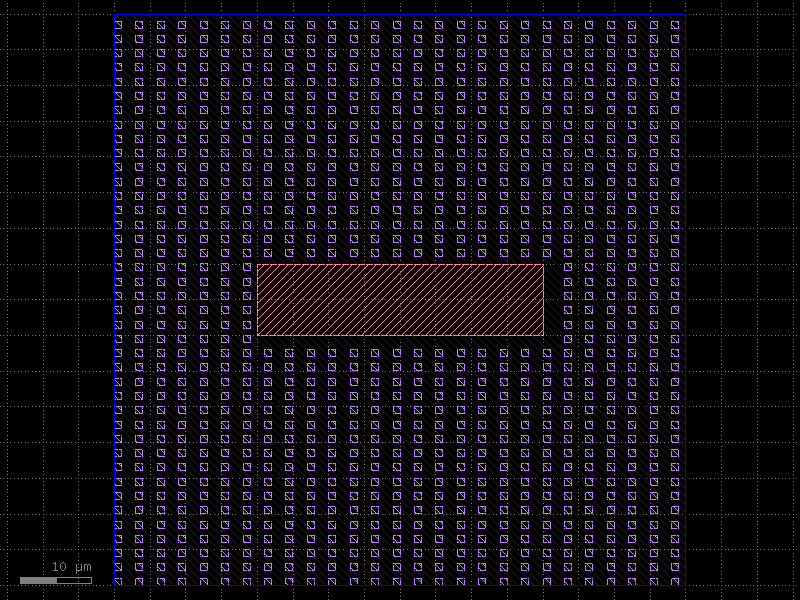
By default fill cells are placed on a rectangular grid aligned to the fill
cell's bounding box. Pass row_step and col_step as kdb.DVector
objects (in µm) for a custom pitch.
@kf.cell
def chip_custom_pitch() -> kf.KCell:
    c = kf.KCell()
    c.shapes(kf.kcl.find_layer(L.FLOORPLAN)).insert(kf.kdb.DBox(0, 0, 80, 80))
    c.shapes(kf.kcl.find_layer(L.WG)).insert(kf.kdb.DBox(20, 35, 60, 45))

    fill_tiled(
        c,
        fill_dot(),
        fill_layers=[(L.FLOORPLAN, 0)],
        exclude_layers=[(L.WG, 1.0)],
        # 3 µm pitch in X, 2 µm pitch in Y
        row_step=kf.kdb.DVector(3.0, 0),
        col_step=kf.kdb.DVector(0, 2.0),
    )
    return c


chip_custom_pitch()
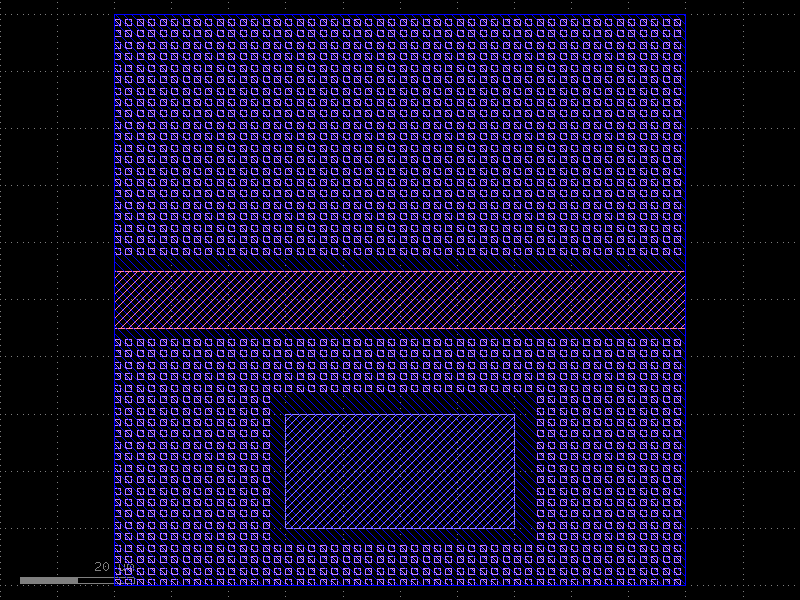
5 · Multiple Exclusion Layers
Pass multiple (layer, keepout) pairs to exclude_layers. Each layer can
have a different keepout distance.
@kf.cell
def chip_multi_excl() -> kf.KCell:
    c = kf.KCell()
    c.shapes(kf.kcl.find_layer(L.FLOORPLAN)).insert(kf.kdb.DBox(0, 0, 100, 100))
    # Horizontal waveguide
    c.shapes(kf.kcl.find_layer(L.WG)).insert(kf.kdb.DBox(0, 45, 100, 55))
    # Metal pad — needs a wider keepout than the waveguide
    c.shapes(kf.kcl.find_layer(L.METAL)).insert(kf.kdb.DBox(30, 10, 70, 30))

    fill_tiled(
        c,
        fill_dot(),
        fill_layers=[(L.FLOORPLAN, 0)],
        exclude_layers=[
            (L.WG, 2.0),  # 2 µm keepout around waveguides
            (L.METAL, 3.0),  # 3 µm keepout around metal pads
        ],
        x_space=1.0,
        y_space=1.0,
    )
    return c


chip_multi_excl()
API Summary
kf.fill.fill_tiled(
    c,                               # target KCell (must be unlocked)
    fill_cell,                       # cell to tile
    fill_layers  = [(layer, um)],    # layer-defined fill regions
    fill_regions = [(region, um)],   # explicit kdb.Region fill regions
    exclude_layers  = [(layer, um)], # layers to keep clear
    exclude_regions = [(region, um)],# explicit regions to keep clear
    x_space = 0,      # µm gap between fill cells in X
    y_space = 0,      # µm gap between fill cells in Y
    row_step = None,  # kdb.DVector (µm); default = fill_cell width + x_space
    col_step = None,  # kdb.DVector (µm); default = fill_cell height + y_space
    tile_size = None, # (w, h) µm; default = 100× fill-cell pitch
    tile_border = (20, 20),  # µm border around each tile for exclusion look-up
    n_threads = None, # defaults to kf.config.n_threads (all logical CPUs)
    multi = False,    # use fill_region_multi strategy (no origin alignment)
)
Note:
fill_tiledmodifies the target cell in-place and returnsNone. It must be called while the cell is unlocked, i.e. inside its@kf.cell-decorated factory function.
See Also
| Topic | Where |
|---|---|
| DRC violation fixing | Utilities: DRC Fix |
| Boolean / region operations | Core Concepts: Geometry |
| Cell-level enclosures | Enclosures: KCell Enclosure |
| Array / grid layout | Utilities: Grid |