Grid Layout
When assembling test chips or comparison arrays, you often need to arrange a collection of cells into a regular grid with consistent spacing. kfactory's grid functions handle this in one call.
| Function | Units | Cell slot size |
|---|---|---|
kf.grid |
µm (float) | Uniform — largest bbox in the whole grid |
kf.flexgrid |
µm (float) | Flexible — per-column width, per-row height |
kf.grid_dbu |
DBU (int) | Uniform — largest bbox in the whole grid |
kf.flexgrid_dbu |
DBU (int) | Flexible — per-column width, per-row height |
grid vs flexgrid: grid gives every slot the same fixed size (set by
the largest component), so columns and rows stay perfectly aligned like a
spreadsheet. flexgrid shrinks each column/row to its actual maximum, saving
area when components vary significantly in size.
All four functions return an InstanceGroup so you can apply a common
transformation to the whole block afterwards.
Setup
import kfactory as kf


class LAYER(kf.LayerInfos):
    WG: kf.kdb.LayerInfo = kf.kdb.LayerInfo(1, 0)


L = LAYER()
kf.kcl.infos = L
1 · Creating Sample Components
We create a set of DKCell components (µm-based) with different sizes.
The size variation is intentional — it makes the difference between grid
and flexgrid visible.
# (width_µm, height_µm) pairs
sizes_um = [(5, 10), (10, 5), (8, 8), (6, 4), (3, 7), (12, 3)]

components: list[kf.DKCell] = []
for w, h in sizes_um:
    c = kf.DKCell(name=f"box_{w}x{h}")
    c.shapes(c.kcl.layer(L.WG)).insert(kf.kdb.DBox(w, h))
    components.append(c)

print(f"Created {len(components)} components")
Created 6 components
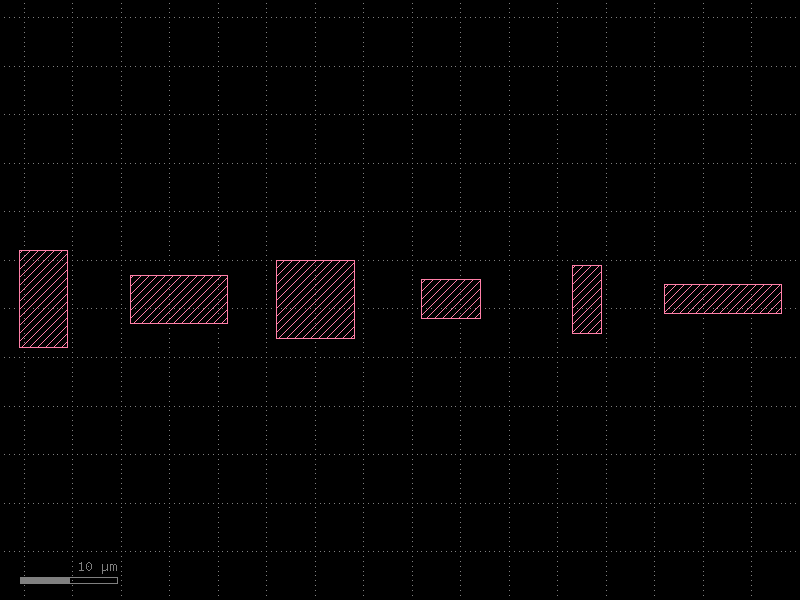
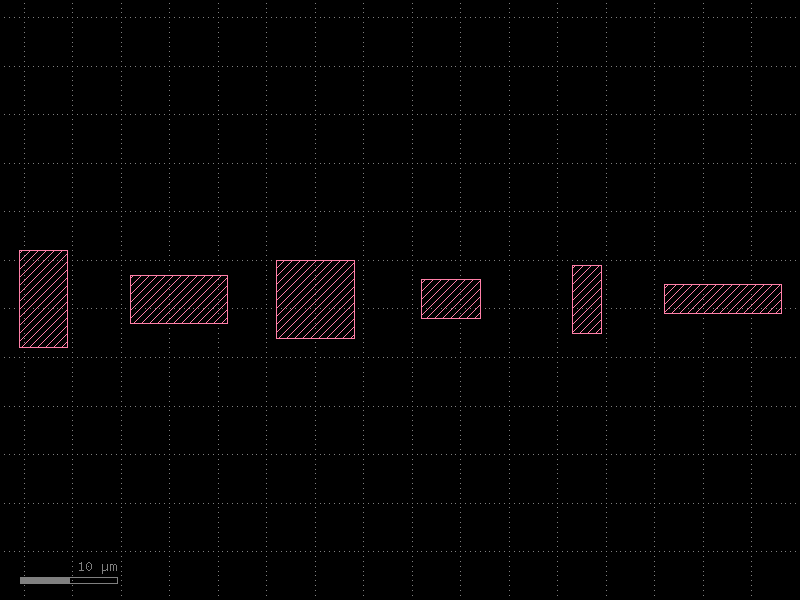
2 · grid — 1D (Single Row)
Pass a flat list of DKCell objects and a spacing in µm.
All cells are arranged in a single row by default.
Every slot is sized to fit the largest component's bounding box, so all cells are equally spaced even when they have different sizes.
target_row = kf.KCell(name="grid_row")
ig_row = kf.grid(target_row, components, spacing=2.0)

print(
    f"Row bbox: {target_row.dbbox().width():.1f} µm × {target_row.dbbox().height():.1f} µm"
)
print(f"Placed {len(ig_row.insts)} instances")
target_row
Row bbox: 78.5 µm × 10.0 µm
Placed 6 instances
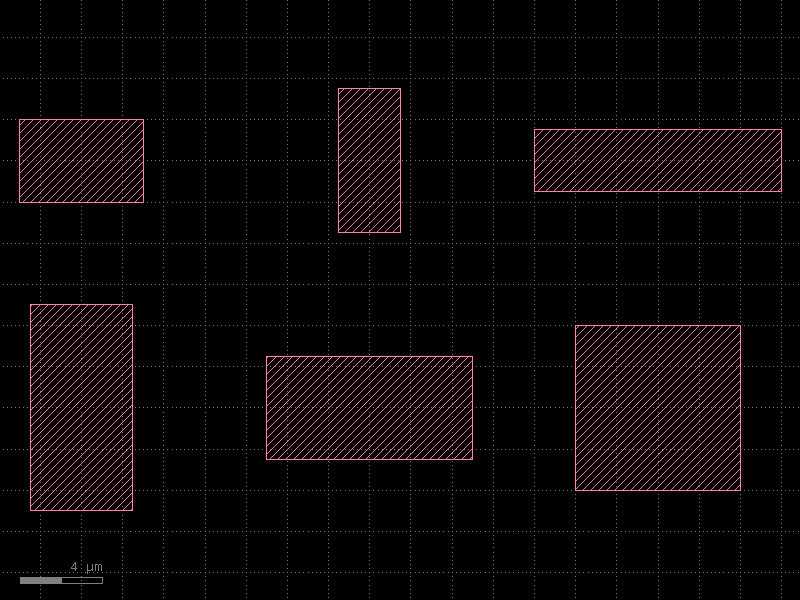
3 · grid — 2D with shape=
Pass shape=(rows, cols) to reflow a flat list into a 2-D grid.
The slot size is still uniform (largest component sets the pitch in each axis).
target_2d = kf.KCell(name="grid_2d")
ig_2d = kf.grid(target_2d, components, spacing=2.0, shape=(2, 3))

print(
    f"2D bbox: {target_2d.dbbox().width():.1f} µm × {target_2d.dbbox().height():.1f} µm"
)
target_2d
2D bbox: 37.0 µm × 20.5 µm
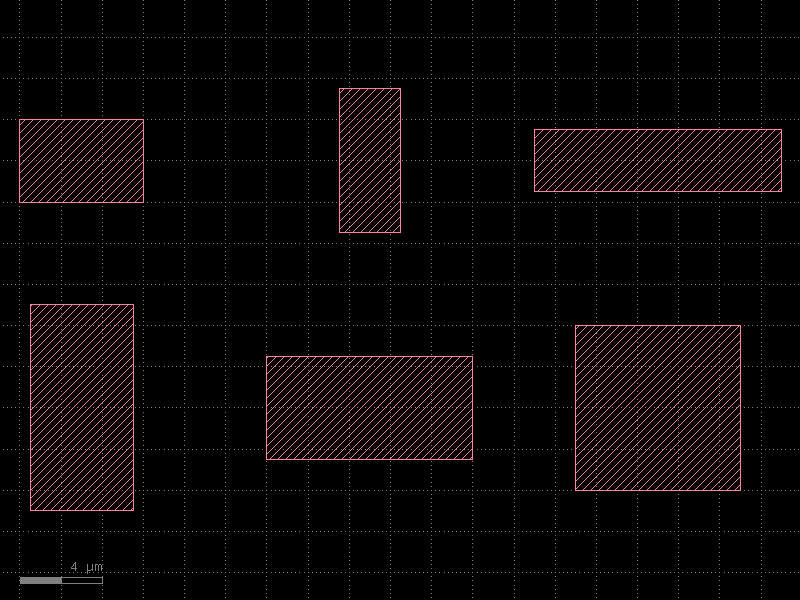
4 · grid — Explicit 2D Input
You can supply a list-of-lists directly to control exactly which cell goes in each position. This is useful when you want a hand-curated layout rather than a simple reflow.
row0 = [components[0], components[1], components[2]]
row1 = [components[3], components[4], components[5]]

target_2d_explicit = kf.KCell(name="grid_2d_explicit")
ig_2d_explicit = kf.grid(target_2d_explicit, [row0, row1], spacing=2.0)

print(
    f"Explicit 2D bbox: {target_2d_explicit.dbbox().width():.1f} µm × {target_2d_explicit.dbbox().height():.1f} µm"
)
target_2d_explicit
Explicit 2D bbox: 37.0 µm × 20.5 µm
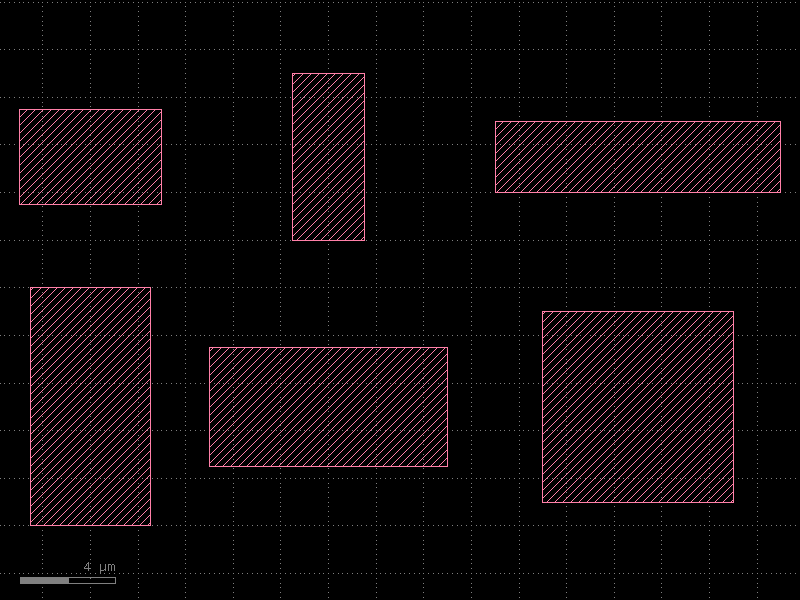
5 · flexgrid — Compact Layout
flexgrid gives each column its own width (tallest/widest in that column)
and each row its own height, so overall footprint is smaller when
components vary in size.
Here the same six components are arranged with shape=(2, 3) using both
functions so you can compare the bounding boxes.
target_flex = kf.KCell(name="flexgrid_2d")
ig_flex = kf.flexgrid(target_flex, components, spacing=2.0, shape=(2, 3))

grid_area = target_2d.dbbox().width() * target_2d.dbbox().height()
flex_area = target_flex.dbbox().width() * target_flex.dbbox().height()

print(
    f"grid   bbox: {target_2d.dbbox().width():.1f} × {target_2d.dbbox().height():.1f} µm  ({grid_area:.0f} µm²)"
)
print(
    f"flexgrid bbox: {target_flex.dbbox().width():.1f} × {target_flex.dbbox().height():.1f} µm  ({flex_area:.0f} µm²)"
)
print(f"Area saving: {100 * (1 - flex_area / grid_area):.0f}%")
target_flex
grid   bbox: 37.0 × 20.5 µm  (758 µm²)
flexgrid bbox: 32.0 × 19.0 µm  (608 µm²)
Area saving: 20%
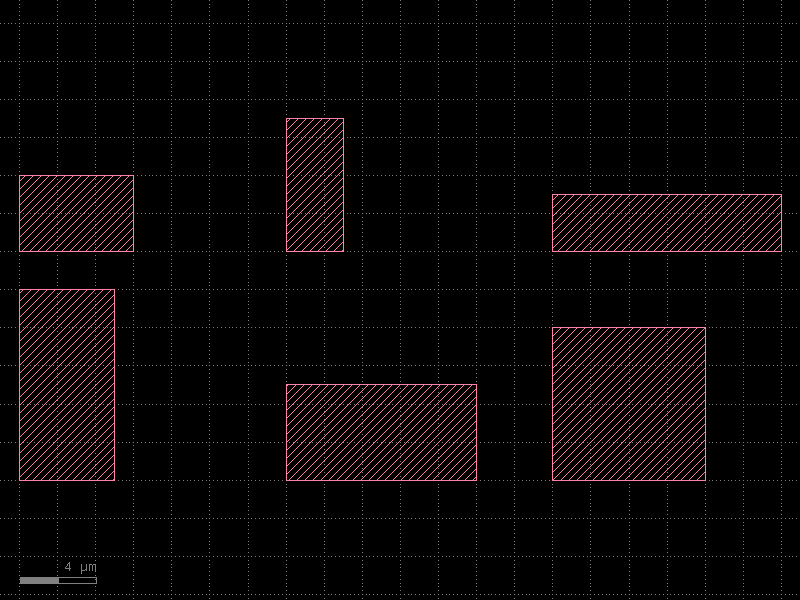
6 · Alignment Options
Both grid and flexgrid accept align_x and align_y to control how
components are positioned within their slot:
| Value | Meaning |
|---|---|
"center" (default) |
Component centred in its slot |
"xmin" / "ymin" |
Left-aligned / bottom-aligned |
"xmax" / "ymax" |
Right-aligned / top-aligned |
"origin" |
Component placed so its origin is at the slot position |
target_aligned = kf.KCell(name="grid_aligned")
ig_aligned = kf.grid(
    target_aligned,
    components,
    spacing=2.0,
    shape=(2, 3),
    align_x="xmin",
    align_y="ymin",
)
target_aligned
7 · grid_dbu — DBU Variant
If you work with KCell (integer DBU coordinates) instead of DKCell,
use grid_dbu and pass the spacing in DBU. The API is otherwise identical.
# Build KCell (DBU) components
comps_dbu: list[kf.KCell] = []
for w_um, h_um in sizes_um:
    c = kf.KCell(name=f"kdbox_{w_um}x{h_um}")
    c.shapes(c.kcl.layer(L.WG)).insert(
        kf.kdb.Box(kf.kcl.to_dbu(w_um), kf.kcl.to_dbu(h_um))
    )
    comps_dbu.append(c)

target_dbu = kf.KCell(name="grid_dbu_example")
ig_dbu = kf.grid_dbu(target_dbu, comps_dbu, spacing=kf.kcl.to_dbu(2))

print(
    f"grid_dbu bbox: {target_dbu.dbbox().width():.1f} µm × {target_dbu.dbbox().height():.1f} µm"
)
target_dbu
grid_dbu bbox: 78.5 µm × 10.0 µm
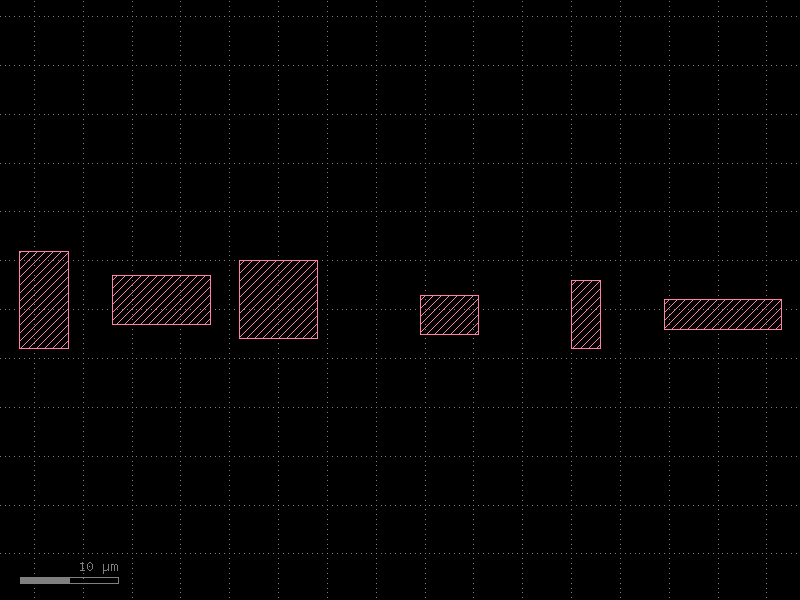
8 · Placing the Grid in a Larger Layout
The returned InstanceGroup can be used to move the whole block at once.
Here we pack two sub-grids and place them side-by-side in a top-level cell.
top = kf.KCell(name="top_assembly")

# First sub-grid: first 3 components
sub_a = kf.KCell(name="sub_a")
kf.grid(sub_a, components[:3], spacing=2.0)
inst_a = top << sub_a

# Second sub-grid: last 3 components, placed to the right with a 10 µm gap
sub_b = kf.KCell(name="sub_b")
kf.grid(sub_b, components[3:], spacing=2.0)
inst_b = top << sub_b
gap_dbu = kf.kcl.to_dbu(10)
inst_b.transform(kf.kdb.Trans(sub_a.bbox().width() + gap_dbu, 0))

print(f"Top bbox: {top.dbbox().width():.1f} µm × {top.dbbox().height():.1f} µm")
top
Top bbox: 78.0 µm × 10.0 µm
Quick Reference
import kfactory as kf

# µm-based uniform grid (DKCell components)
ig = kf.grid(target, cells, spacing=2.0)
ig = kf.grid(target, cells, spacing=2.0, shape=(rows, cols))
ig = kf.grid(target, [row0, row1], spacing=2.0)        # explicit 2D

# µm-based flexible grid (per-column/row sizing)
ig = kf.flexgrid(target, cells, spacing=2.0, shape=(rows, cols))

# DBU-based variants (KCell components, spacing in dbu)
ig = kf.grid_dbu(target, cells, spacing=kf.kcl.to_dbu(2))
ig = kf.flexgrid_dbu(target, cells, spacing=kf.kcl.to_dbu(2))

# Alignment within each slot
ig = kf.grid(target, cells, spacing=2.0, align_x="xmin", align_y="ymin")

# Move the whole block after placement
inst = top << target
inst.transform(kf.kdb.DCplxTrans(1, 0, False, x_um, y_um))
See Also
| Topic | Where |
|---|---|
| Component packing (free placement) | Utilities: Packing |
| Components overview & gallery | Components: Overview |
| Creating a full PDK | PDK: Creating a PDK |
| Instance placement | Core Concepts: Instances |