Packing Utilities
When building test chips or demo layouts you often need to arrange many cells
into a compact rectangular footprint without overlaps. kfactory's
kf.packing module wraps the rpack
rectangle-packer to provide two convenience functions:
| Function | Input | Use case |
|---|---|---|
kf.packing.pack_kcells |
Sequence of KCell |
Pack several cells into a new target cell |
kf.packing.pack_instances |
Sequence of Instance |
Rearrange already-placed instances inside a cell |
Both functions return an InstanceGroup that lets you inspect or move the
placed instances as a unit.
Setup
import kfactory as kf


class LAYER(kf.LayerInfos):
    WG: kf.kdb.LayerInfo = kf.kdb.LayerInfo(1, 0)
    FLOORPLAN: kf.kdb.LayerInfo = kf.kdb.LayerInfo(10, 0)


L = LAYER()
kf.kcl.infos = L
1 · Creating Diverse Components
We build a handful of rectangular cells with different sizes to illustrate how the packer fits varied shapes together.
# (width_um, height_um) pairs — deliberately varied so the packing is non-trivial
sizes_um = [(5, 10), (20, 8), (3, 3), (15, 15), (8, 4), (12, 6), (6, 18), (9, 5)]

components = []
for w, h in sizes_um:
    c = kf.KCell(name=f"box_{w}x{h}")
    c.shapes(c.kcl.layer(L.WG)).insert(kf.kdb.Box(kf.kcl.to_dbu(w), kf.kcl.to_dbu(h)))
    components.append(c)

print(f"Created {len(components)} components")
Created 8 components
2 · pack_kcells — Basic Packing
pack_kcells instantiates each cell inside target and uses the
rectangle-packer to find a tight arrangement.
Key parameters:
- max_width / max_height — hard limits on the bounding box (dbu); None = unlimited
- spacing — extra gap between bounding boxes (dbu)
SPACING_DBU = kf.kcl.to_dbu(2)  # 2 µm gap between cells

target = kf.KCell(name="packed_basic")
ig = kf.packing.pack_kcells(target, components, spacing=SPACING_DBU)

print(
    f"Bounding box: {target.dbbox().width():.1f} µm × {target.dbbox().height():.1f} µm"
)
print(f"Placed {len(ig.insts)} instances")
target
Bounding box: 45.0 µm × 22.0 µm
Placed 8 instances
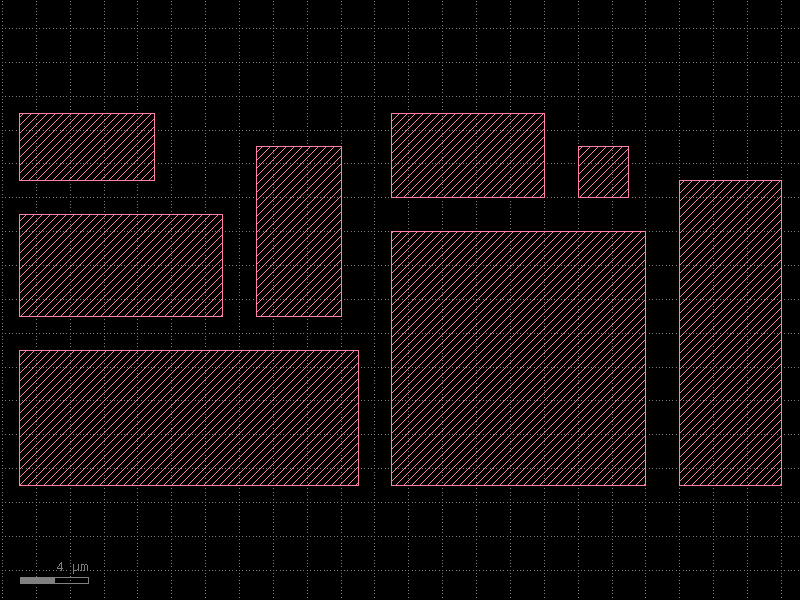
The packer places all cells without overlap. The bounding box is much smaller than a naive row arrangement would produce.
3 · Width-Constrained Packing
Pass max_width (in dbu) to force the layout to stay within a given strip
width — useful for fitting onto a reticle column or a fixed-pitch test array.
MAX_WIDTH_DBU = kf.kcl.to_dbu(25)  # 25 µm wide strip

target_narrow = kf.KCell(name="packed_narrow")
ig_narrow = kf.packing.pack_kcells(
    target_narrow,
    components,
    max_width=MAX_WIDTH_DBU,
    spacing=SPACING_DBU,
)

print(
    f"Bounding box: {target_narrow.dbbox().width():.1f} µm × "
    f"{target_narrow.dbbox().height():.1f} µm"
)
target_narrow
Bounding box: 22.0 µm × 46.0 µm
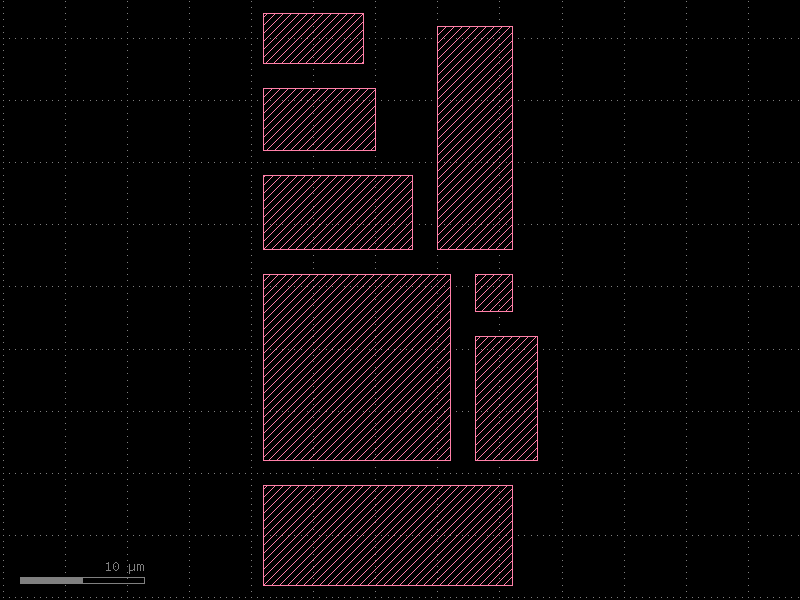
The layout is now taller and narrower compared to the unconstrained version.
4 · pack_instances — Rearranging Existing Instances
If instances are already present in a cell (e.g. placed by other routing
steps), pack_instances rearranges them in-place without creating new
instances.
target_inst = kf.KCell(name="packed_instances")

# Pre-place instances at arbitrary positions
insts = [target_inst << c for c in components]
for i, inst in enumerate(insts):
    # Scatter them diagonally so the "before" layout is spread out
    inst.transform(kf.kdb.Trans(i * kf.kcl.to_dbu(30), i * kf.kcl.to_dbu(30)))

print(
    f"Before packing — bbox: {target_inst.dbbox().width():.0f} µm × {target_inst.dbbox().height():.0f} µm"
)

ig_inst = kf.packing.pack_instances(target_inst, insts, spacing=SPACING_DBU)

print(
    f"After  packing — bbox: {target_inst.dbbox().width():.0f} µm × {target_inst.dbbox().height():.0f} µm"
)
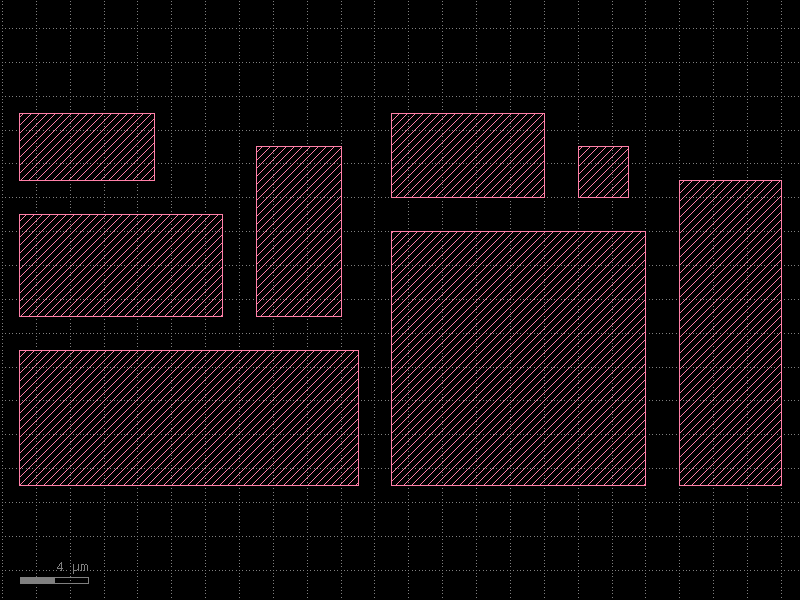
target_inst
Before packing — bbox: 217 µm × 218 µm
After  packing — bbox: 45 µm × 22 µm
5 · Using the Returned InstanceGroup
Both functions return an InstanceGroup so you can apply a common
transformation to the entire packed block — for example, to position it
relative to other structures in a larger layout.
top = kf.KCell(name="top_chip")

# Pack a subset of components into a block
sub_target = kf.KCell(name="sub_block")
sub_ig = kf.packing.pack_kcells(sub_target, components[:4], spacing=SPACING_DBU)

# Place the packed block in the top-level cell and offset it
block_inst = top << sub_target
block_inst.transform(kf.kdb.Trans(kf.kcl.to_dbu(50), kf.kcl.to_dbu(20)))

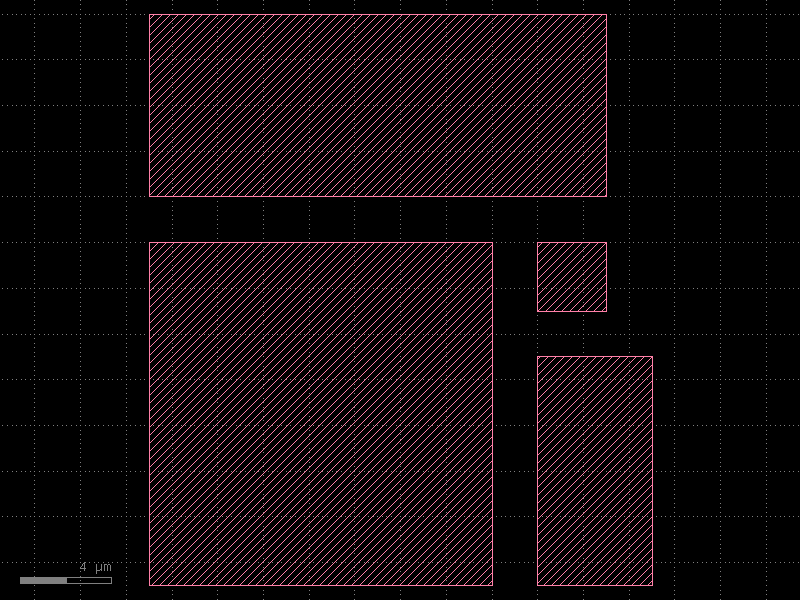
top
Quick Reference
import kfactory as kf

# Pack a list of KCells into target (creates new instances)
ig = kf.packing.pack_kcells(
    target,
    cells,
    max_width=kf.kcl.to_dbu(100),   # optional width limit in dbu
    max_height=None,                  # optional height limit in dbu
    spacing=kf.kcl.to_dbu(2),        # gap between bboxes in dbu
)

# Rearrange already-placed instances (modifies their transforms)
ig = kf.packing.pack_instances(
    target,
    list_of_instances,
    spacing=kf.kcl.to_dbu(2),
)
See Also
| Topic | Where |
|---|---|
| Array / grid layout | Utilities: Grid |
| Components overview & gallery | Components: Overview |
| Instance placement | Core Concepts: Instances |
| Creating a full PDK | PDK: Creating a PDK |