MMI with GDSFactory FDTD
Configure a 3D MMI simulation, inspect its geometry, and calculate one broadband S-matrix column.
Requirements: GDSFactory+ cloud simulation access.
You will: build the component, configure the solver, preview the 3D setup, run one cached cloud simulation, and inspect its wavelength response.
1. Build the component
import gdsfactory as gf

from gsim import fdtd

gf.gpdk.PDK.activate()
component = gf.get_component("mmi1x2")
component
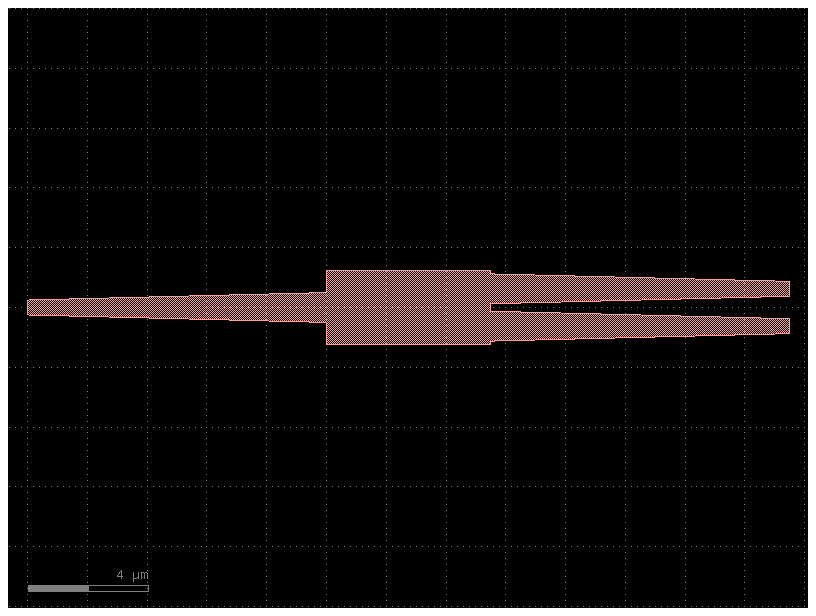
2. Configure the simulation
simulation = fdtd.Simulation()
simulation.materials(background="SiO2", overrides={"si": 3.4757})
simulation.geometry(component)
simulation.source(
    port="o1",
    wavelength_um=1.55,
    wavelength_span_um=0.1,
    num_wavelengths=101,
)
simulation.domain(padding=1)
simulation.solver(cell_size_nm=60, energy_decay_fraction=1e-5)
Solver(cell_size_nm=60.0, max_timesteps=None, energy_decay_fraction=1e-05, max_wall_seconds=3600.0)
Preview the resolved layer stack, ports, and simulation domain before submitting the job.
3488129338.py:1: UserWarning: Material dispersion is not sent to GDSFactory FDTD; these materials use their index at the source wavelength across the 1500 to 1600 nm band: SiO2 (0.1 % permittivity change). materials(dispersion=True) sends dispersive models instead.
  simulation.plot_3d()
3. Run and inspect the result
  fdtd-eb03ee90  [####################] 100%  complete  elapsed 0m 00s


Extracting results.tar.gz...
Downloaded 2 files to sim-data-fdtd-eb03ee90